
The Laziest Way I’ve Found to Track Personal Spending


“net bill 500”
That’s the whole entry. I type it into Telegram, a bot replies that ৳500 went under Bills, and I go back to whatever I was doing. Three seconds, maybe four.
I’ve downloaded more expense tracker apps than I can count, and each one lasted about two weeks on my phone before I stopped opening it.
So I’ve built something lazier.
Why I kept quitting apps
Tracking money sounds simple until you do it every day. Open the app, pick a category, type the amount, choose a date, add a note, and save. That’s six steps for a 20 taka cup of tea.
I had to pick a category (which is a lot to find among all those pre-built categories inside those apps), add the note “cha,” and then insert the amount. Friction is what didn’t let me carry the habit.
So I skipped the small expenses first because it was too much work to log them. And eventually started skipping the medium ones too. A month later, the app’s totals had little to do with the money that had left my wallet.
The apps didn’t fit how I write, either. Most assume dollars, and none of them understand “cha 30, rickshaw 60” typed the way I’d text someone.
So, I needed a personal chat accountant.
My first fix missed the point
My first attempt was a small React web app. I could type expenses in plain language; it understood Taka, and it drew a chart of spending by category.
It worked, but I still forgot to open it. Also, logging was the problem, and a new app left logging exactly where it was.
I needed tracking to live somewhere I already spend my day, which for me is Telegram.
Meet Expensio
Expensio is a Telegram bot I built for myself. It sits in my chat list like any other contact.
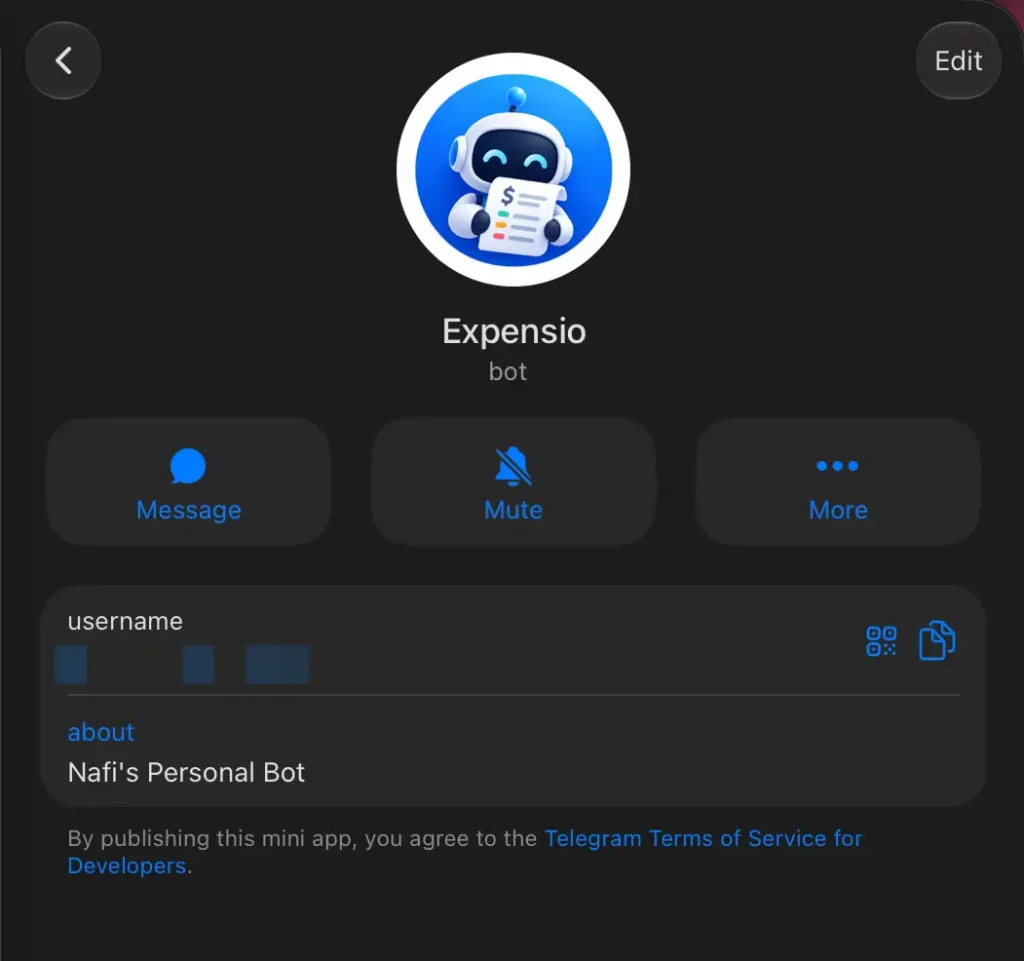
I text it the way I’d text anyone, in English or Banglish, and it categorizes the spending and logs the expense.
I don’t even have to create new categories. If any expense doesn’t fit into already created categories, it’ll create a new one and add the spending there.
- “uber 180 yesterday” logs ৳180 under Transport, dated yesterday.
- “lunch 250, coffee 120 bkash” logs two entries and notes the payment method.
I can also ask it anything about my money, and it replies with the exact figure. “What did I spend on transport last week?” or “what was my biggest expense this month?” gets an answer in seconds, the same way a chronically online personal accountant would reply if they’d kept all my receipts.
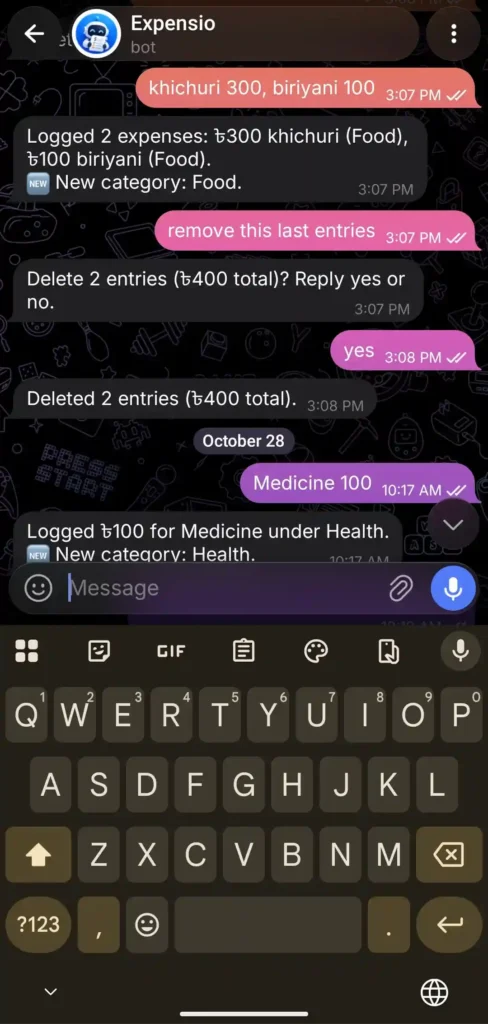
Fixing mistakes works the same way. I type “change the uber to 200” or “delete yesterday’s coffee” and it’s done. There are no commands to memorize, and the bot creates a new category when an expense doesn’t fit the existing ones. Every action ends with a one-line confirmation, so I always know what got saved.
What’s under the hood
I wanted it free, with no server to run, so the stack is small:
- Telegram for the chat.
- Google Apps Script for the logic, so there’s nothing to host or pay for.
- Gemini’s free tier to read each message and decide whether it’s a new expense, a fix, or a question.
- Google Sheets for storage, with a tab per category, a yearly view grouped by month, and a dashboard comparing this month with last month.
Everything runs inside my own Google account, and the bot only answers my chat. Anyone else who finds it gets no reply.
It costs me nothing to run. The one trade-off is Gemini’s free tier, where Google may use what I send to improve its products. For messages like “biryani 250,” I’m fine with that.
Building it with Claude
I built Expensio with Claude in about 20 minutes. Here is what I did:
Before any code, I ran the popular grill-me skill, which has Claude interview you until every requirement is pinned down. It asked who could use the bot, how to handle Banglish, what to do when I forget an amount, and whether I wanted slash commands. I said no, because I wanted to talk to it like a person.
The first version had one stubborn bug. Telegram kept resending the same message, and every new message got stuck behind it. Apps Script was answering Telegram with a redirect, which Telegram read as a failed delivery, so it kept retrying. Claude traced the cause, and a small change to how the script replied cleared the queue.
The Saturday message
The weekly recap changed my habits more than the logging did. Every Saturday at 10 AM, Expensio sends a summary of the week: what I spent, where it went, and how it compares to the week before.
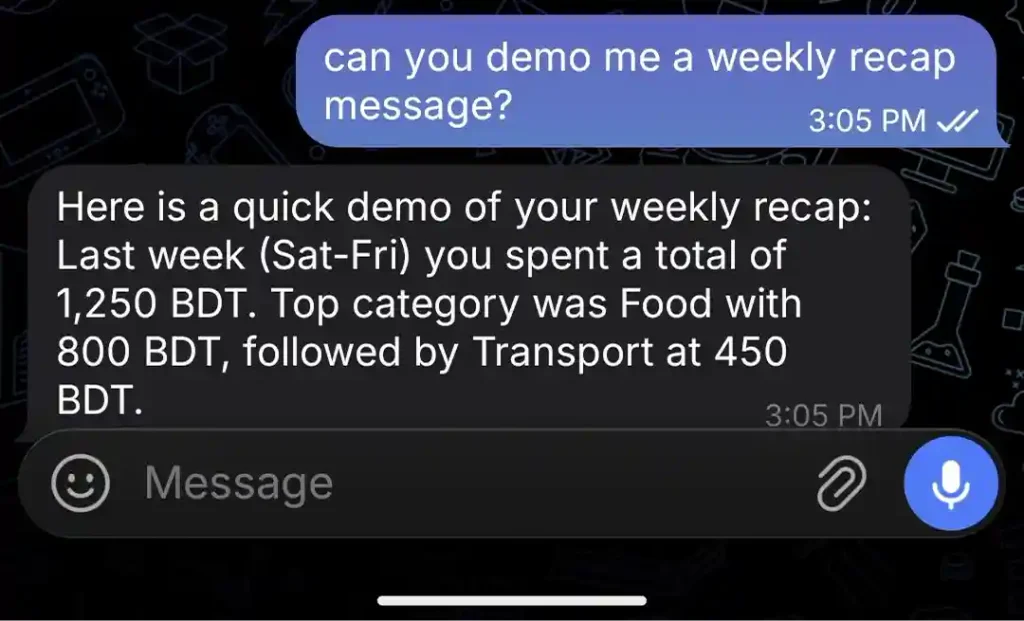
I don’t have to remember to open a dashboard, because I can just talk to it.
What building it taught me
So, here is the classic LinkedIn part:
- Free tools cover more than I expected. Apps Script, Sheets, and Gemini’s free tier handle everything I need for this bot.
- Remove friction before adding features. A better chart didn’t help me because logging expenses took too long. And no, I don’t want to connect my bank account with an expense tracker application.
- Build where you already are. I open Telegram dozens of times a day, and bringing the tool there fixed the habit problem.
Expensio has one user, and it’s staying a personal tool. The idea travels well, though.
If there’s a chore you keep putting off, try moving it into the platform you already open fifty times a day. That’s where mine finally stuck.
Thank you for reading.
